



Description
Product Overview
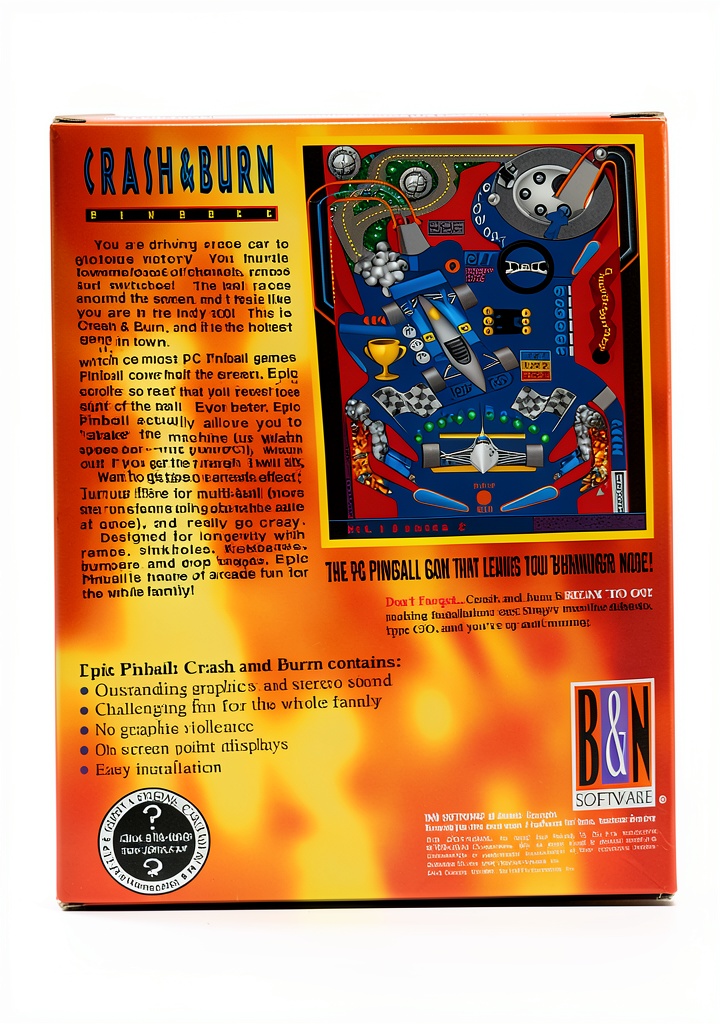
Crash & Burn Epic Pinball PC Game is a classic 3.5” Disk Software developed by B&N Software Atlanta. This game is designed for kids and families who love a challenge and are looking for a fun and engaging way to spend their time. The game features colorful graphics and exciting gameplay that will keep players entertained for hours.

Usage
Crash & Burn Epic Pinball PC Game is perfect for kids and families who love playing games together. The game can be played on a PC and is easy to install and use. Players can compete against each other to see who can get the highest score, making it a great way to spend quality time together.
Why Choose Us
B&N Software Atlanta is a reputable developer of children’s software games. We are committed to providing high-quality games that are both fun and educational. Our games are designed to be easy to use and understand, making them perfect for kids and families who are new to gaming.
Key Features
- Engaging gameplay that will keep players entertained for hours
- Colorful graphics that are perfect for kids and families
- Easy to install and use on a PC
- Compete against each other to see who can get the highest score
- Perfect for kids and families who love playing games together
FAQ
What is the system requirement for Crash & Burn Epic Pinball PC Game?
The system requirement for Crash & Burn Epic Pinball PC Game is a PC with a 3.5” disk drive and a compatible operating system.
Can I play Crash & Burn Epic Pinball PC Game with my friends?
Yes, you can play Crash & Burn Epic Pinball PC Game with your friends. The game features competitive gameplay that allows you to compete against each other to see who can get the highest score.
Is Crash & Burn Epic Pinball PC Game suitable for kids?
Yes, Crash & Burn Epic Pinball PC Game is suitable for kids. The game is designed to be fun and educational, and is perfect for kids who love playing games.
How do I install Crash & Burn Epic Pinball PC Game?
To install Crash & Burn Epic Pinball PC Game, simply insert the 3.5” disk into your PC’s disk drive and follow the on-screen instructions.




Reviews
There are no reviews yet.